
Прошивка BIOS Asus H61M-K через программатор
Всем привет.
На днях столкнулся с интересной проблемой, впервые в своей практике.
Возникла необходимость переустановки операционной системы на одном из системников на работе. Как обычно снял системник и забрал к себе. При подключении, сразу насторожило, что на достаточно свежей материнке слетело время в BIOS и все настройки. Ну думаю ладно, бывает. Всегда в запасе есть новые батарейки. Заменил батарейку, включаю, захожу в BIOS, но при попытке войти в расширенный режим настройки (Advanced Mode «F7»), появлялся курсор и через некоторое время всё зависало. Зайти в другие разделы через быстрый доступ тоже не получалось, соответственно прошить BIOS через оболочку не представлялось возможным.
Благо, на данной материнской плате микросхема BIOS не припаяна, а вставлена в специальную площадку и при необходимости может быть легко извлечена.
Ну собственно никаких проблем, вытащил микросхему. Её оказалась память Winbond 25Q64FV. Благо, у меня имеется программатор, некогда заказанный из Китая, которым я уже пару раз восстанавливал BIOS на ноутбуках и пр.
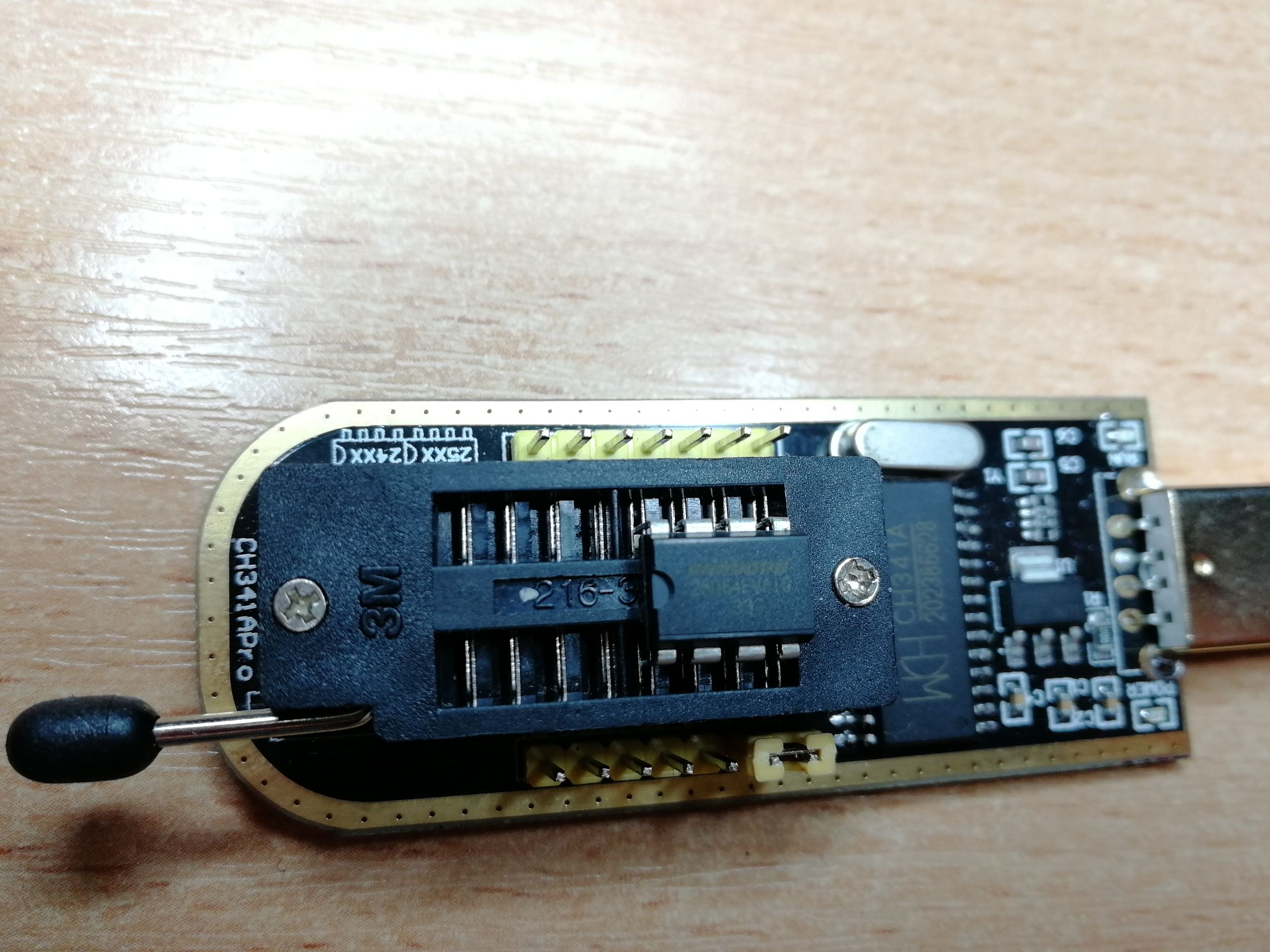
Установил микросхему в разъём программатора и с помощью утилиты считал оригинальное содержимое микросхемы.
И вроде бы всё просто, качаем с официального сайта новый BIOS посвежее, не битый. Но, как всегда, есть одно НО. На сайте к материнским платам ASUS файлы BIOS идут в формате *.CAP, при этом, сам файл несколько больше.
После недолгих поисков, было выяснено, что файл по всей видимости, содержит дополнительный bootloader и для превращения файла *.CAP в формат *.BIN, подходящий для прошивки программатором, достаточно удалить первые 2 Кб файла формата *.CAP и сохранить с расширением *.BIN.
Собственно, так я и сделал, правда через обычный Notepad++. Но это не совсем удобно, на форуме rom.by на 10 странице есть программа CAP to BIN от пользователя с ником PaScaL01. Приложу её тут. Программа автоматически отрезает 2 Кб в файле BIOS и сохраняет в формате *.BIN.
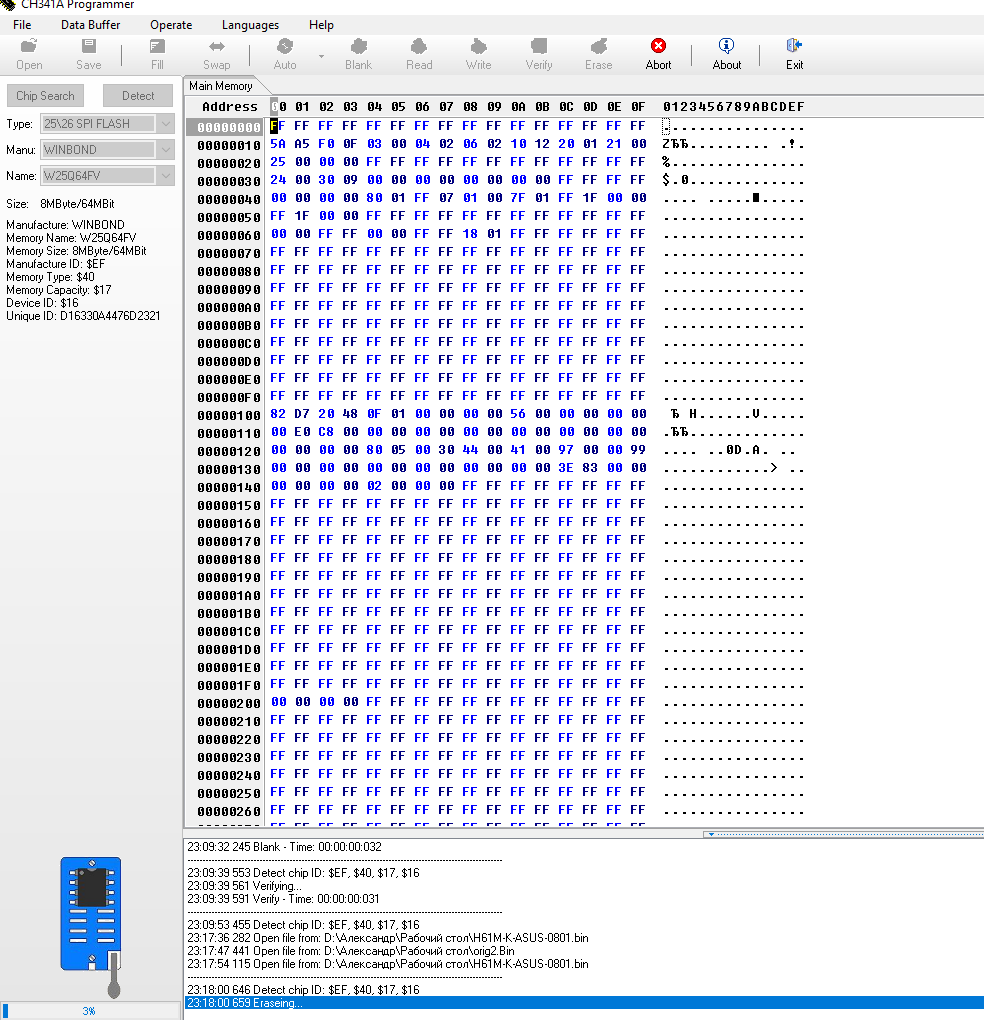
Берём готовый файл нужного формата, стираем всё из памяти микросхемы и прошиваем новым BIOS’ом. В результате получился обновлённый BIOS, время перестало сбиваться и всё отлично работает.
Надеюсь, кому-нибудь пригодиться данный опыт.
P.S. Так же программатор можно собрать самому, но простейшая схема рассчитана на работу через LPT и если вы часто имеете дело с компьютерами, то рекомендую приобрести USB программатор, тем более цена копеечная.
Thanks for sharing this! I’ve had that exact same sinking feeling when a BIOS screen freezes up—it’s usually the moment you realize a «simple» OS reinstall just became a major technical project. Your tip about stripping the first 2KB from the .CAP file to make it a flashable .BIN is a total lifesaver. It’s one of those tiny technical hurdles that can stop a repair in its tracks if you don’t know exactly what to look for in a hex editor.
I mostly spend my time tinkering with enterprise gear, like some older ProLiant BL460C blades. They run 10-core 2.3GHz Xeon processors https://serverorbit.com/pc-and-servers/proliant-bl460c/10-core-2-3ghz-xeon, and while that server hardware is generally built like a tank, the management controllers can be just as finicky as consumer boards when a firmware update goes sideways. There’s something uniquely satisfying about using a cheap USB programmer to bring a high-end piece of silicon back from the dead. It certainly beats having to replace a whole board just because of a corrupted chip!
Do you find that modern UEFI setups are more prone to these kinds of corruptions than the old-school BIOS, or have they actually become more stable in your experience?
I’m glad the article was helpful to you. Regarding reliability issues, it’s hard to say. Probably, everything new is more complex, and the more complex a system is, the higher the likelihood of problems arising. However, BIOS is generally a simple system, and issues with it don’t occur often. It’s more common for older server boards to have problems with multi‑controllers.
This is a useful topic because BIOS recovery can quickly become more complicated once the board no longer boots normally. One thing I’d always check before using a programmer is the exact motherboard revision and BIOS file, since flashing an image intended for a different board or revision can leave the system in a worse state.
It’s also worth backing up the original BIOS chip contents before writing anything new. That gives you a recovery point if the replacement image has an issue. On older ASUS boards, I’d also verify the chip voltage and programmer compatibility before connecting it.
For anyone working with ASUS boards and comparing replacement or compatible motherboard options, this https://ormsystems.com/motherboards/asus-motherboards-price.html is a useful place to check different ASUS motherboard models and specifications.
I’m glad the article was helpful to you.
helpful explanation of the ASUS H61M-K BIOS recovery process! The .CAP to .BIN conversion is an important detail, especially when the motherboard cannot access the normal BIOS update utility. One additional precaution would be to verify the BIOS image size against the flash chip capacity and confirm the written data before reinstalling the chip.
I also appreciate how clearly you’ve documented the procedure. Good technical writing makes complicated subjects easier to understand, something we also focus on in educational writing at https://www.essaywriter.co.nz/.